- User-Friendly Interface
- Batch Operation
- Hot-Folder Technology
- Command-line Feature
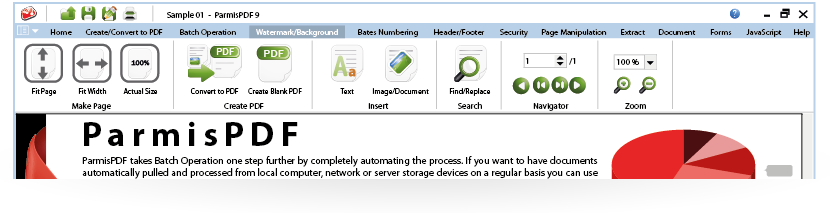
ParmisPDF is the perfect PDF tool with the ability to perform wide range of operations on PDF documents, comprising a user-friendly interface ideal for users of any skill level.
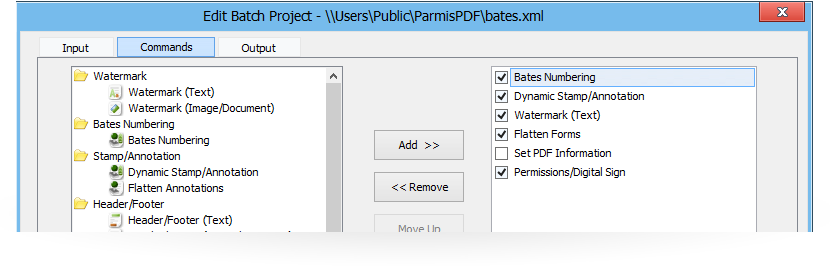
Batch operation feature helps you to save time and keystrokes by using an automated batch sequence which is a defined series of commands that you apply in a single step on one or large number of PDF documents.
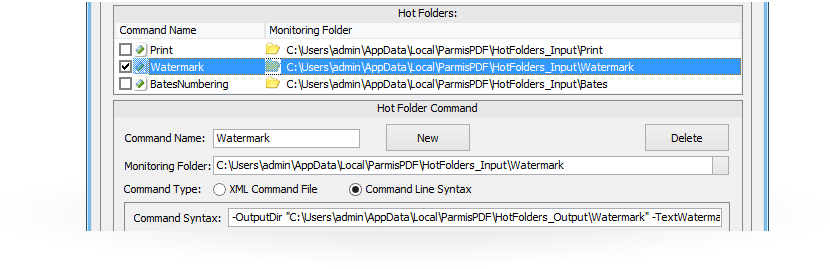
Hot Folder technology is the easiest way to automate processing files with ParmisPDF. Simply drop your files into a Hot Folder (A monitored directory), and it's automatically processed and dropped into an output folder.
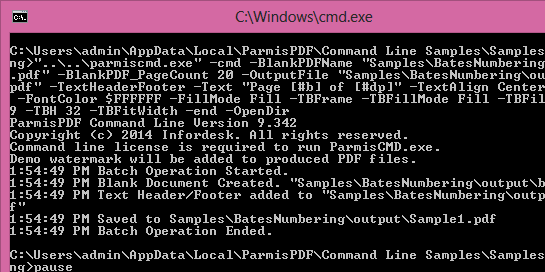
ParmisPDF Command-line is a complete industry-standard PDF tool designed to enable software developers to create PDF files and perform wide range of operation onto PDF documents.

Watermark
Insert watermark onto one or a range of pages in PDFs. Adding dynamic text contents to PDF files such as File Name, Date, Page Number has never been so easy!
Read More
Batch Operation
Save time and keystrokes by using an automated batch sequence which is a defined series of commands that apply in a single step on one or more documents.
Read More
Hot-Folders
Automatically monitor designated folders from local computer, network or server storage devices then pull and process documents inside them on a regular basis using Hot-Folders features.
Read More
Create & Combine
ParmisPDF simplifies the PDF creation process. All PDF files created with ParmisPDF are 100% compatible with other PDF viewing applications including Adobe Reader.
Read More
Secure & Sign
Easily control how people access your confidential and sensitive information through robust and standard PDF encryption, password, digital signatures and certifications.
Read More
Find & Replace
Edit and change one or multiple PDF documents located in a folder and its sub-folders, change text font and replace text with an image using Find/Replace feature.
Read More
View & Print
ParmisPDF is built upon the industry’s fastest and most accurate PDF rendering engine, providing users with the best PDF viewing & printing experience.
Read More
Bates Stamping
With ParmisPDF you can easily create and control every aspect of the Bates Stamps and use them to stamp one or more PDF documents located in folders and sub-folders.
Read More
Forms
Fill in forms on a massive scale using Mail Merge feature and Flatten PDF documents if you are supposed the form fields or annotations in your documents not to be altered.
Read More